
How to Use Kids & Family FUN
Discover family-friendly places, activities, events and birthday party venues in Tampa Bay and beyond. Search by location, category, age, price and family features, explore the map, compare options and find ideas for your next family outing.
Kids & Family FUN also helps you organize plans, prepare for outings and share your favorite discoveries.
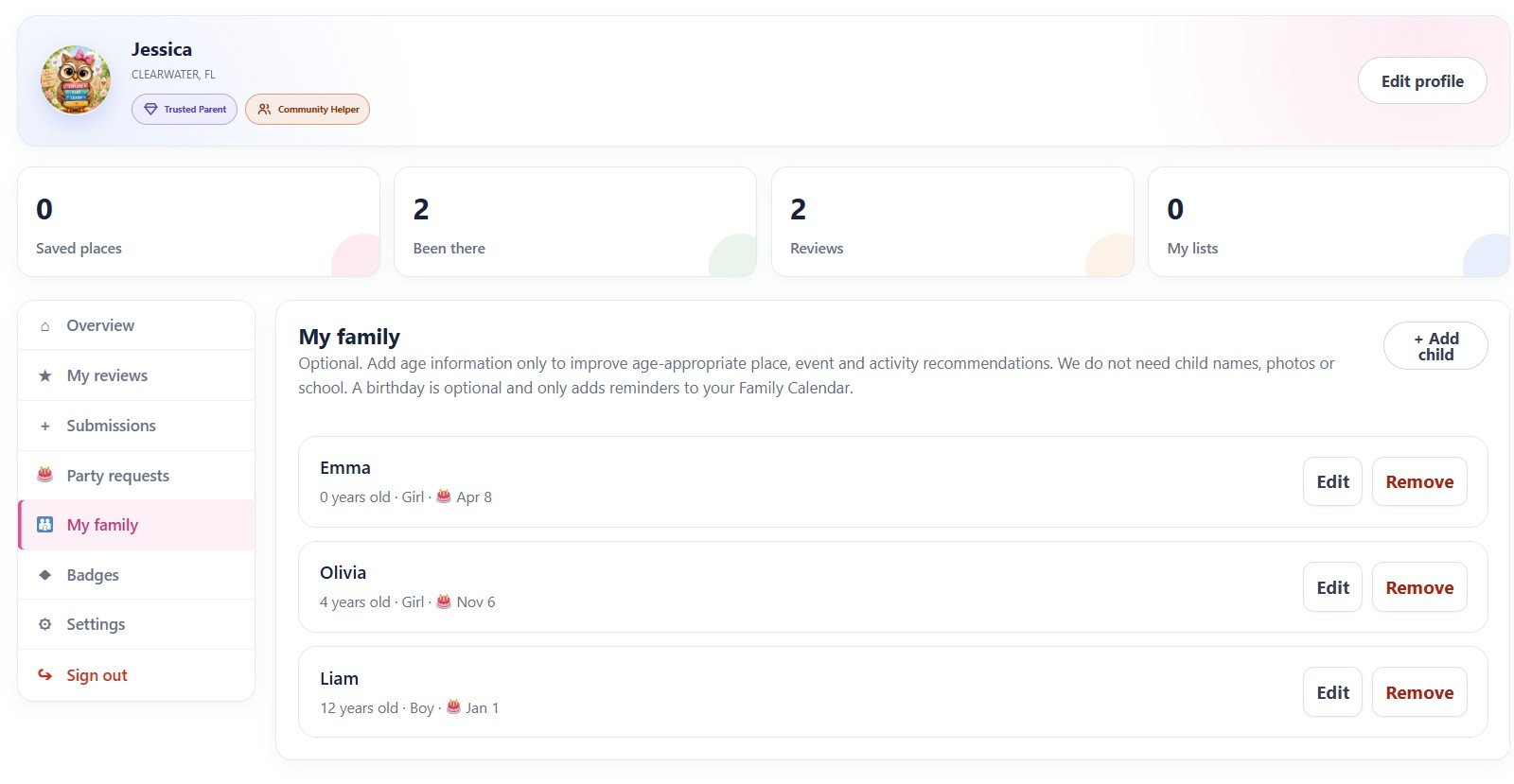
Add your children to your profile
In My Account → My family, click + Add child and add each child’s age. Places, events and activities can then be matched to your family’s ages.
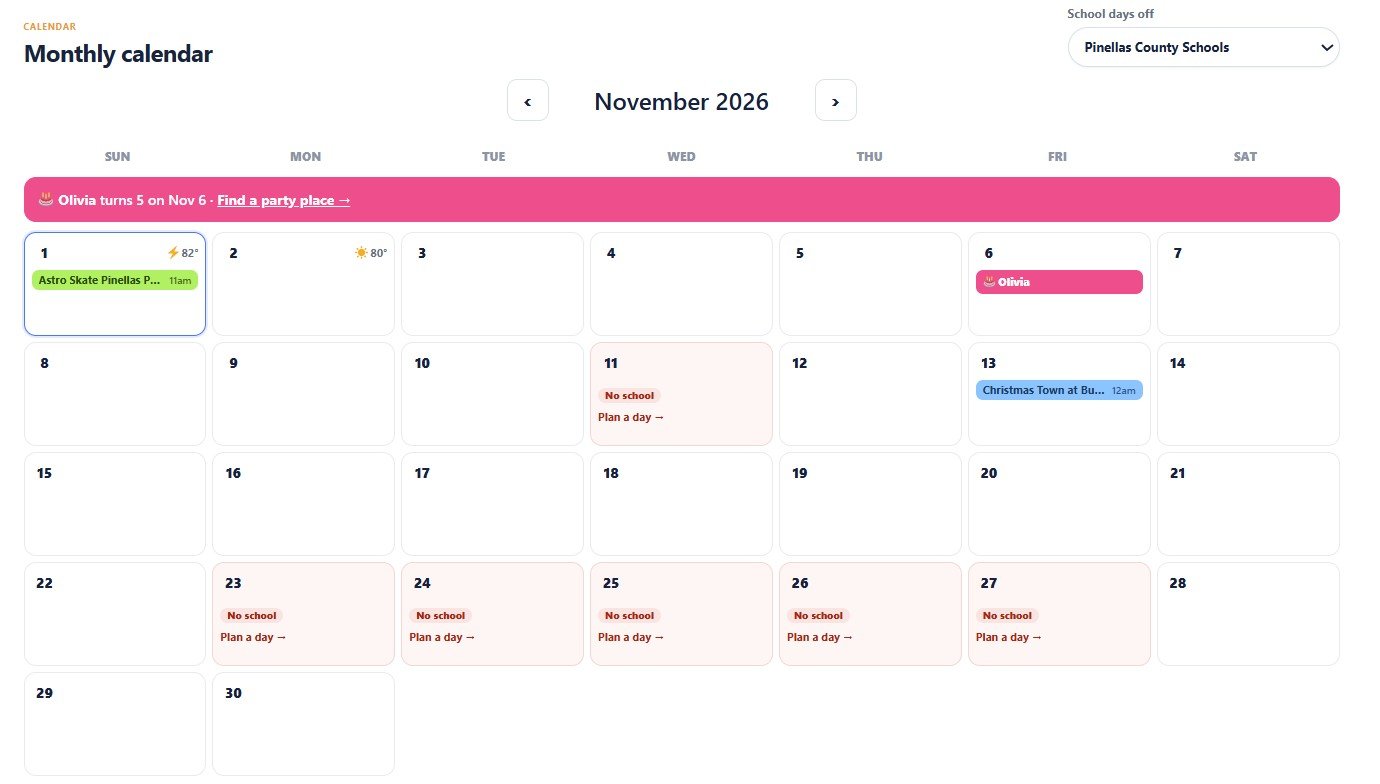
This is optional, and we don’t need photos or school information. A birthday is optional too — add it and it will show up in your Family Calendar as a reminder.
Find places that fit your family
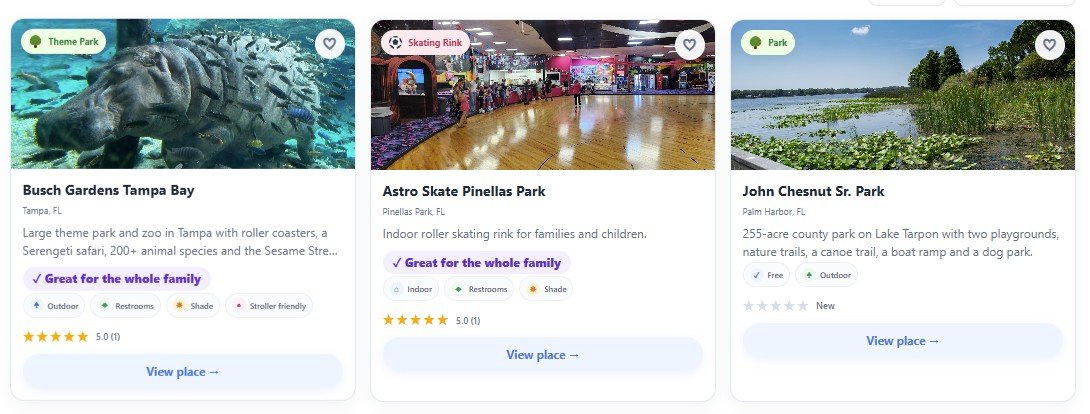
Use Explore or the Map to browse parks, attractions, indoor play and more. Each card shows the category, location, rating and quick facts such as indoor or outdoor, restrooms, shade and stroller access.
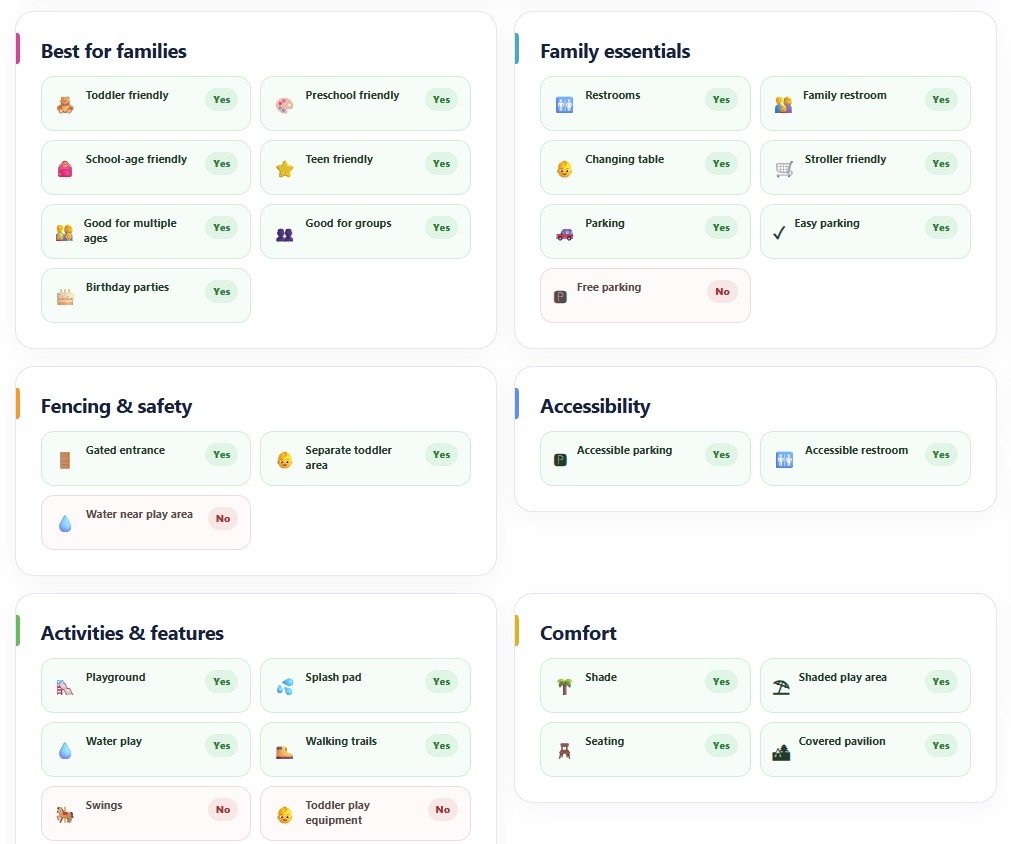
Open a place to see the full details parents care about: which ages it suits, family essentials like changing tables and parking, fencing and safety, accessibility, food, and whether it works on hot or rainy days. Many of these details are confirmed by other parents after their visits.
Add places and events to your Family Calendar
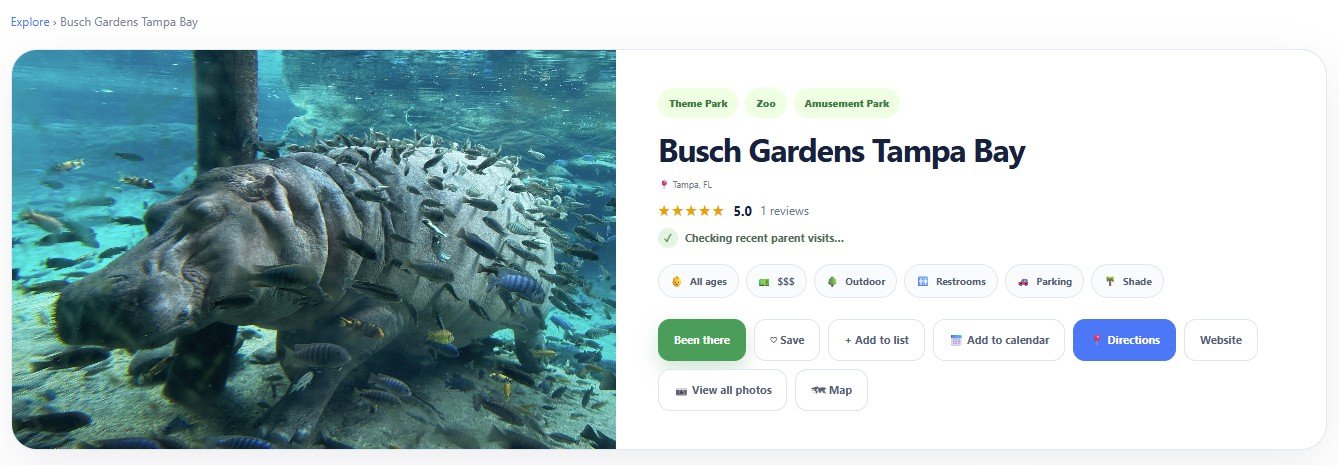
Found a place you want to visit or an event your family would enjoy? Click Add to calendar and pick a day. Your plans stay together in Family Plans.
Never forget a birthday — or a day off school
The monthly calendar shows your plans with the weather forecast, your children’s birthdays with a link to find a party place, and school days off for your county, each with a “Plan a day” shortcut.
Pack with a checklist and print your week
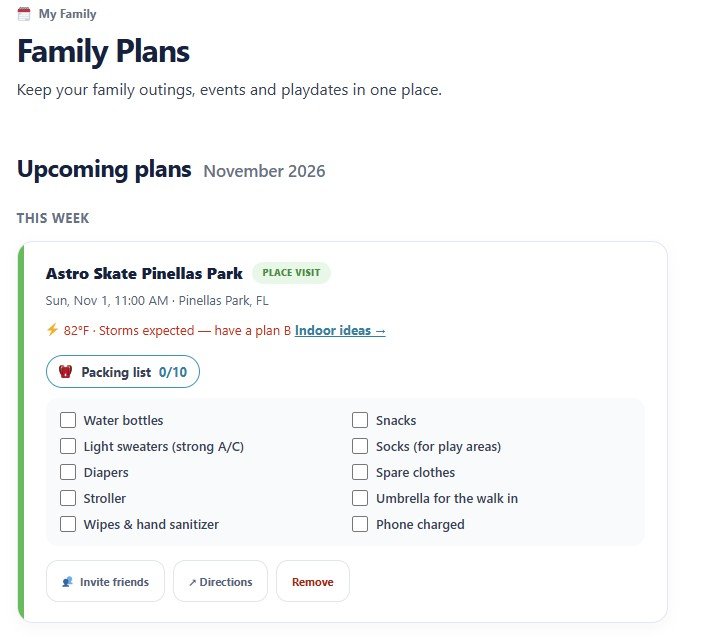
Every plan gets a packing list suggested for that place and the weather — water bottles and snacks, light sweaters for strong A/C indoors, sunscreen and towels for the beach. Tick items off as you pack. If storms are expected, you’ll also see indoor ideas as a plan B.
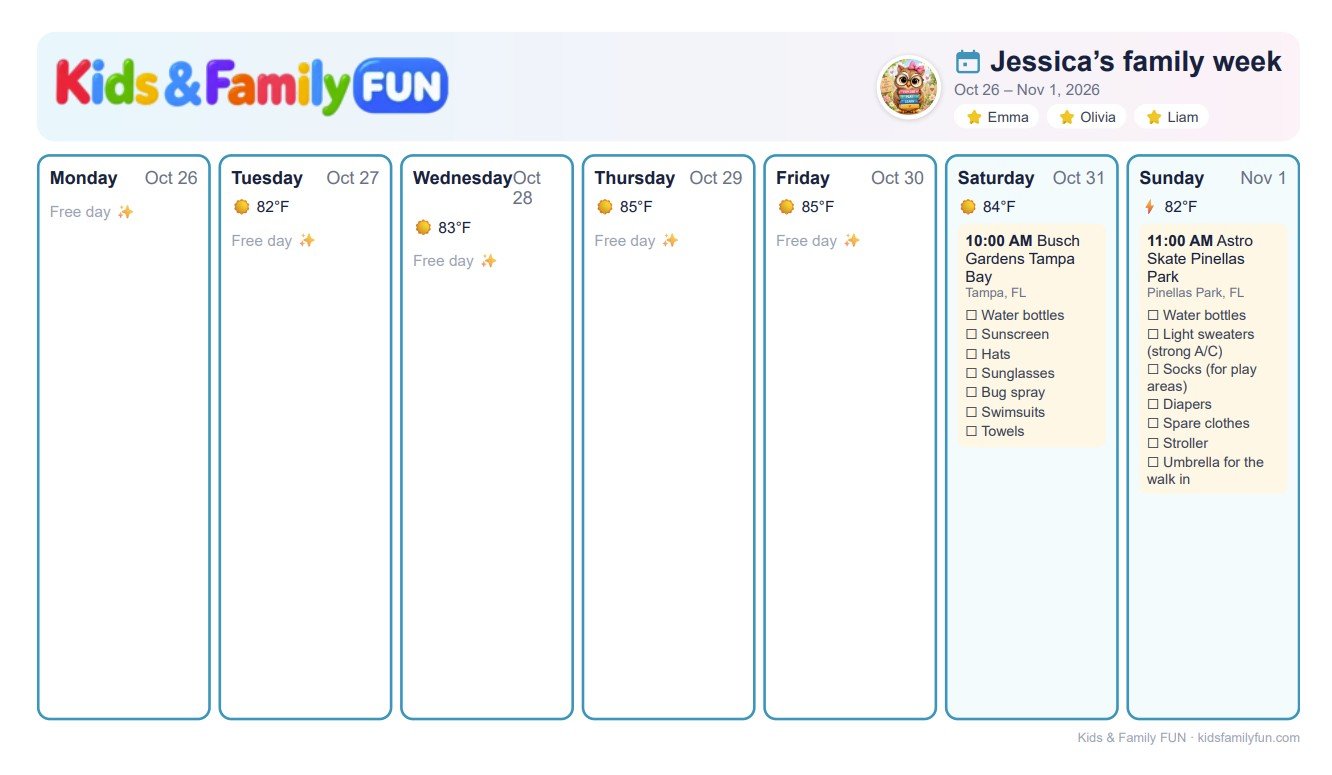
Click Print this week to get one page with every day, the weather and each packing list — ready for the fridge.
Invite friends and plan together
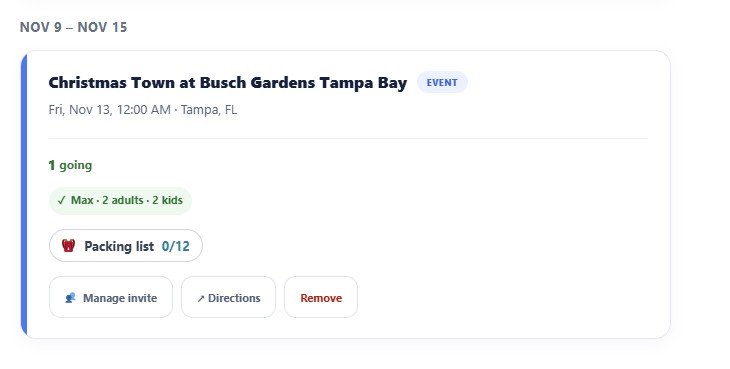
Family fun is even better with friends. On any plan, click Invite friends, add a short message and share the link by text, email or any app.
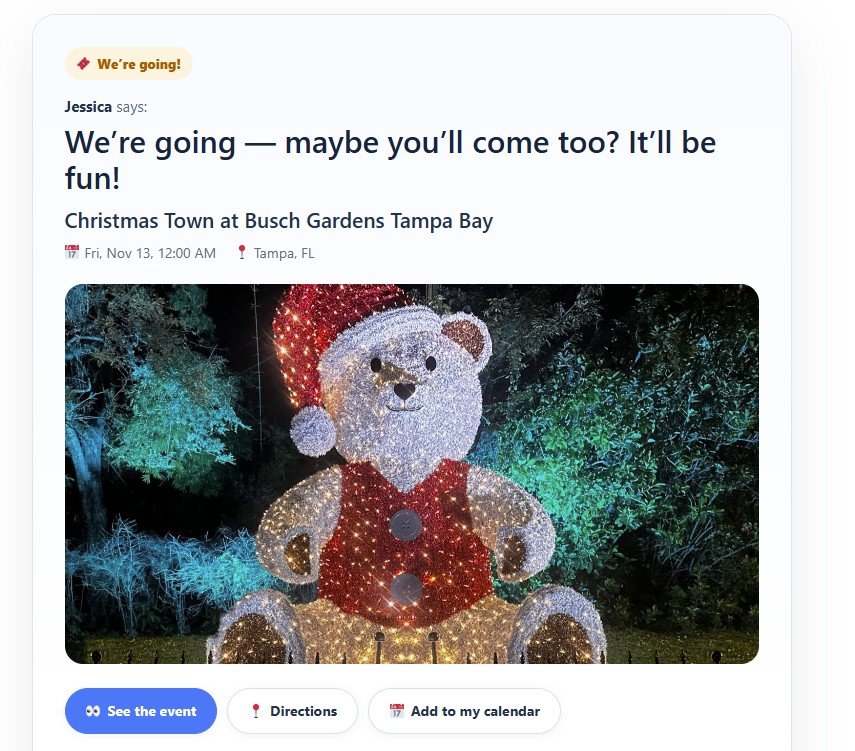
Your friends don’t need an account. They open the link, enter their name and how many adults and kids are coming, and answer We’ll be there, Maybe or Can’t make it.
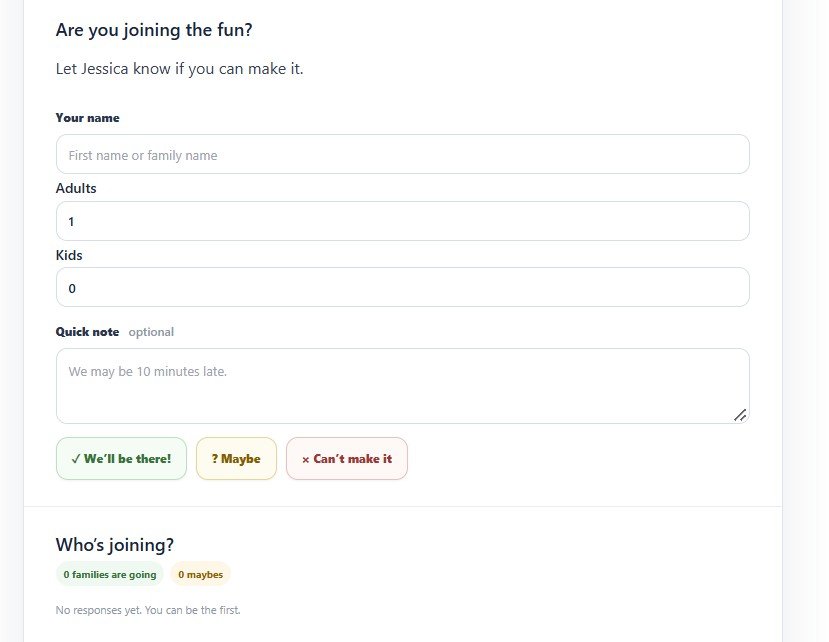
Answers appear right on your plan, so you know who is going.
Share how your visit went
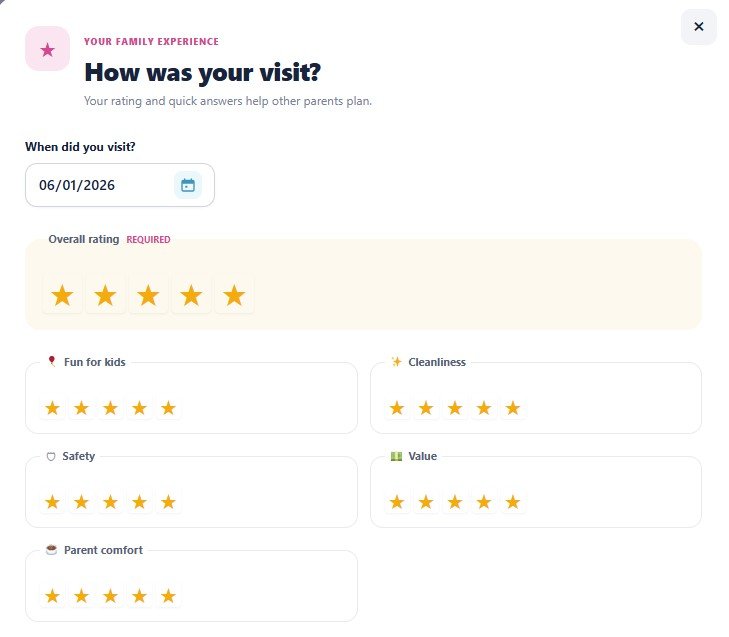
After an outing, click Been there (or Share your experience) on the place page and rate your visit — overall and for fun, cleanliness, safety, value and parent comfort.
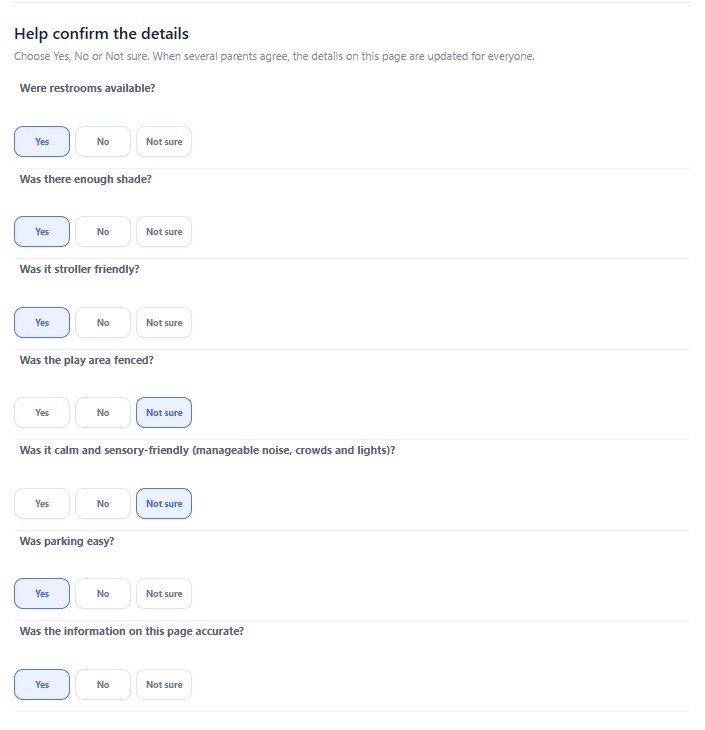
Then answer a few quick Yes / No / Not sure questions: restrooms, shade, strollers, fencing, parking. When several parents agree, the details on the place page are updated for everyone.
Save your favorite places in lists
Click Save to keep a place in your favorites, or Add to list to organize places for different occasions — Weekend Adventures, Rainy Day Activities, Best Playgrounds or Birthday Party Ideas.
Lists are private by default. Make a list public to share your recommendations with other parents and help families find new places to enjoy.
Start exploring.
Explore places, discover events, save your favorites and make more family memories.